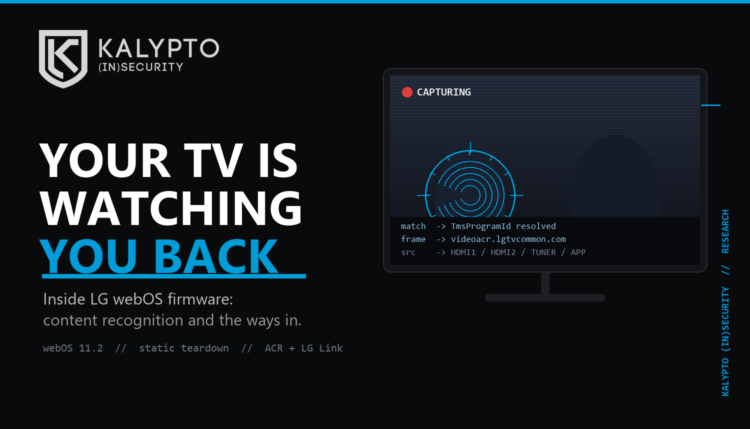

I pulled apart the firmware for a current LG webOS TV. Owner-authorized, static analysis only, on my own set. I decrypted the SECURED update package, extracted all 17 partitions, unpacked the 1.58 GB root filesystem, and decompressed the kernel. This is webOS 11.2.0 “Rockhopper,” running Linux 6.12.44. The package is AES-256 encrypted and RSA-2048 signed. It came apart cleanly.
Two things are worth your time here: what the TV watches, and the ways into it. Everything below was read straight out of the firmware. Where I have not proven something all the way through, I say so. Most write-ups skip that part, and that is exactly where they go wrong.
Your TV is watching what you watch
The set ships a dedicated Automatic Content Recognition subsystem. LG calls it “Live Plus.” The binary is /usr/sbin/acr2, and it does what the name says. It captures the picture on your screen, fingerprints it, and sends the fingerprint to LG to be matched against a database of known content.
The detail people miss is the scope. ACR holds the capture permission for the foreground video plane from ANY source. That includes your HDMI inputs. It is not limited to LG’s own apps or live TV. It can fingerprint whatever comes off a plugged-in game console, a cable box, a streaming stick, or a laptop. It grabs audio too.
Here is what the code actually pulls, based on the calls acr2 makes: your advertising ID and device IDs, the current channel and program guide data, whatever app is in the foreground, video frames, and the status of every HDMI input. The fingerprint goes to videoacr.lgtvcommon.com, and the reply comes back carrying a Gracenote program ID. So LG’s server resolves the fingerprint to the exact program you are watching, by name. A separate ad stack reports to info.lgsmartad.com.
Now, LG will point to: in the raw factory defaults, Live Plus is off. The consent flags start disabled. The catch is the first-time setup wizard. That friendly “Agree to All” button on the setup screen is what flips Live Plus, ACR, and data collection to on. Almost nobody reads what that button turns on, which is the whole reason it is there. And two things ship on from the first boot no matter what you agree to: the advertising cookie and screensaver ads. As Gamer’s Nexus showed on a different set recently, you can still capture audio and text translations when this is “off.”
I will give the code this much… it honors the opt-outs it claims to. Turn Live Plus off and acr2 checks the flag, sees false, and stops. It respects the CCPA and GDPR opt-out states, and it halts entirely in Kids Mode. The problem is not the flags… the problem is how easy it is for the manufacturer or a malicious actor to change those flags and abuse the system (much like Flock). This is not some rogue process sneaking around your settings. It is a spying feature that behaves exactly like the toggle says it will. The problem is that the toggle defaults to “yes,” parked behind a button built to be clicked without reading.
How to shut ACR off
- Turn off “Live Plus” in the TV settings. The capture binary reads that flag and stops.
- Decline the extra user agreements, especially interest-based advertising and data collection. Go back through settings if you already smashed “Agree to All” during setup. The binary honors those flags.
- Block it at the network. Sinkhole
videoacr.lgtvcommon.comandinfo.lgsmartad.comat your router or Pi-hole. This is your backup in case a future update quietly turns anything back on. - While you are in there, kill the ad cookie and the screensaver ads, which shipped on.
Do all three and you have it covered at the settings, the consent, and the network. None of it requires touching the firmware.
The “backdoors,” or the ways in
Let me start with what is NOT there, because it matters and because I got part of my own first pass wrong and had to fix it. There is no hidden login account. No telnet. No open SSH at a normal retail boot. No custom setuid backdoor binary. And this build is not exposed to the 2024 Bitdefender webOS CVEs that made the rounds. It postdates the fixes and the vulnerable services are just gone. If you came here for a secret root password, it is not that kind of story.
It is a story about the doors that exist for LG’s convenience, and what those doors are locked with. Three of them.
1. A token whose secret is public
This is the one that got my attention. There is a service, com.webos.service.lglink, that handles file transfer and second-screen features. When it runs, it binds to 0.0.0.0 on ports 50051 (gRPC) and 50052 (Socket.IO), which means anything on your network can reach it, and the transport is unencrypted.
It authenticates callers with a signed token. The problem is the signing secret. It is computed as the SHA-256 of the TV’s UUID. That UUID is not a secret. The TV advertises it over the network through UPnP. So the “secret” that proves a request is legit is a hash of a value the TV hands out to anyone who asks. Read the UUID, derive the secret, forge the token. There is also a file-upload path that opens the destination file before it finishes checking the caller, so an existing file could be truncated by a request that never had to authenticate.
Before anyone runs with this: I found it in the code. I have NOT demonstrated a working exploit against a live TV. It depends on the feature being enabled, an attacker sitting on your network, and the service’s private-address check accepting the peer. Static analysis tells you the lock is built wrong. It does not, by itself, prove somebody walked through the door. Proving that is the next step, on a set I own, on an isolated network. But a network-facing service that derives its auth secret from a value it broadcasts is a real screwup, not a nitpick.
2. A debug shell in the firmware
The binary /usr/sbin/terminalmanager contains a debug menu that spawns /bin/sh. It is right there: an execute_shmode function, calls to execl and vfork, and the strings for a “shell mode” menu option. My first pass said there was no shell-spawn trigger anywhere on the box. That was wrong, and I corrected it. The shell is gated behind debug-state and authorization logic, and I have not shown it is reachable over the network from a retail set, so this is not a remote root button. But a real, undocumented path to a root shell lives in the shipped firmware, and any honest audit has to put it on the table.
3. A remote-support channel that can be woken up
“Remote Diagnosis” (remotediag) is LG’s remote-support mechanism. It connects outbound and, read the safe way, it needs the device registered on LG’s remote-debug server and launched from a signed package. The wrinkle is that it registers as a dynamically activatable service with a startRemoteDebugging method, so what actually turns it on is broader than a single boot mode suggests. The mitigations look real. The full trust chain still needs a runtime look before I would call it safe or unsafe either way.
Underneath all three, the kernel is softer than I first reported. The config lists a row of security modules, but the actual build flags show they are not compiled in. LoadPin, Yama, Landlock, lockdown, none of them. There is no address-space randomization, and kernel modules are unsigned. What actually protects the system at runtime is dm-verity. The root filesystem is read-only and cryptographically signed, so it cannot be quietly altered on disk. That protection is real and it is good. It is also close to the only one, and it stops mattering the second a writable code path or a memory bug turns up.
Can you fix it yourself, or re-flash it?
For ACR, you do not need to. The three steps above kill it without touching firmware.
Re-flashing a modified image is another matter, and the answer is no, not without LG’s private key. Three separate barriers stop you. The update package is RSA-signed, and the updater rejects anything modified. The root filesystem is dm-verity with a signed root hash, so the kernel refuses it at runtime on a mismatch. And secure boot verifies the chain before Linux ever starts. You can build a modified decrypted image for offline study, but it will not install or boot on the retail set. On-device changes would need a webOS root, and there is no public root for this build.
What to actually do
- Kill ACR with the three steps above. Everyone should do this one.
- If you do not use LG Link, file sharing, screen mirroring, pairing, developer mode, or remote support, turn them off. Every one of them is a door you are not using.
- Put the TV on a network segment that cannot reach the rest of your gear, or at least block ports 50051, 50052, and 3001 at the boundary. Treat it as the untrusted appliance it is.
- Keep taking the firmware updates. The update chain is signed and the known 2024 holes are already patched on this build. This is one of the rare times the locked-down update process is working in your favor.
A note on method, because it is why I trust these findings and why you should too. This is static analysis. I read the firmware. I did not attack a live television. That is enough to say the ACR subsystem is real and to lay out exactly what it captures, and it is enough to say the LG Link authentication is built wrong. It is not enough to claim a working remote exploit, and I am not claiming one. The next pass is a bounded runtime test on my own hardware, isolated, one feature at a time. When I have it, you will get it, holes and all.
Your television is a Linux computer that is very interested in what is on its own screen, with a microphone and a stack of network features you never asked for. Turn off the ones you do not use, and quit hitting “Agree to All.”
As always… RONK.